
For CTOs / Technical Decision-Makers · Intermediate · Commercial · Solves: Stuck choosing a builder, CMS limits showing up, Team mismatch with the tool
Key takeaways
- Match the tool to who publishes every week.
- Webflow usually wins on CMS depth and Editor workflow.
- Framer usually wins on speed and motion for campaign sites.
- Application logic is a signal to leave both.
2026 verdict
| Use | When | Limit |
|---|---|---|
| Framer | Designed marketing pages, fast launch | CMS and editor ownership get thin as the team grows |
| Webflow | Editors need a real CMS without a developer | Performance and custom logic hit a ceiling |
| Next.js | SEO, product logic, or a durable URL map | You need an owner, not a template |
If you are leaving either builder, the hire is website redesign. Related: hiring a Webflow developer and Framer developer vs Next.js.
Framer vs Webflow is the wrong argument if you treat it like a fandom. They are both capable visual builders. They fail in different places once a company has a real marketing team, a real CMS load, and a real pipeline target.
I build in both. I also move teams off both when the product outgrows the editor. The useful question is not 'which is better.' It is 'which constraints are you willing to own for the next 18 months.'
The short version
- Framer is faster when designers need to ship campaigns and motion without a class system.
- Webflow is stronger when marketers need a deep CMS, structured fields, and a long-lived Editor workflow.
- Neither replaces Next.js when you need application logic, complex auth, or a content model that is not a marketing site.
Pick the tool that matches the operating model, not the Dribbble shot.
How the interfaces actually feel
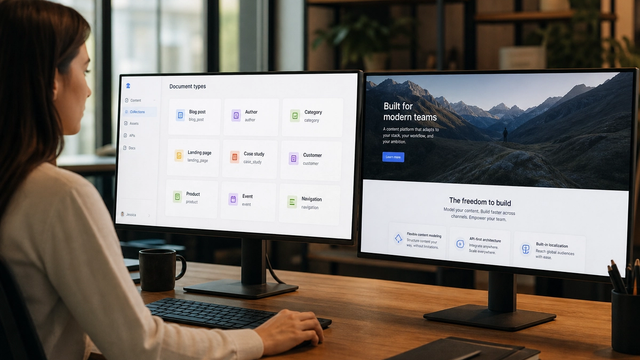
Framer feels like Figma that publishes. Designers get to a public URL quickly. Animations are cheaper to try. The cost shows up later if you need dozens of CMS types, roles, and editorial rules.
Webflow feels like designing in CSS. Classes, combo classes, and a more explicit box model. The first week is slower. The hundredth landing page is more predictable if someone named the system.
CMS and content operations
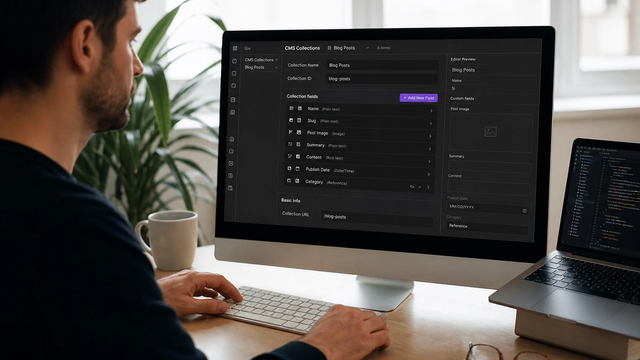
This is where growth-stage teams feel the difference. Webflow's collections, references, and Editor roles are built for recurring content: blogs, jobs, customers, changelog entries. Framer's CMS has improved. It is still the weaker system when a non-designer has to ship 40 items a month without breaking layout.
Compare current plan limits on the vendor pages, not on last year's Twitter thread. Start with Framer's comparison and Webflow's view of Framer, then ignore the slogans and look at collection counts, seats, and localization.
SEO and technical control
Both can rank. Both can ship sloppy canonicals, slow images, and client-rendered emptiness. Webflow gives you more obvious per-page SEO fields on CMS items if the build is done correctly. Framer can be fast and clean if you treat routing, titles, and sitemap as part of the design system, not an afterthought.
If SEO is a first-class requirement, interview the implementation, not the logo on the about page. Ask where title, description, canonical, and schema live. If the answer is 'we add a snippet later,' keep walking.
Performance
Framer's React output can be quick. It can also ship more JavaScript than a simple marketing site needs. Webflow's HTML is often lighter until someone installs five apps and a video hero. Measure the templates you will actually use. Do not outsource the decision to a YouTube thumbnail.
When I choose Framer
- Campaign sites and launches with a short life.
- Designer-led teams that already think in Figma.
- Motion-heavy narratives where the CMS load is light.
- A product marketing page that should exist this week.
When I choose Webflow
- Marketing orgs that will live in the Editor daily.
- Multi-collection content (blog, customers, jobs, resources).
- Client handoff where a non-developer must stay productive.
- Migrations from WordPress where the CMS shape is the product.
When I tell people to leave both
If you need application state, complex permissions, or a content model shared with a product app, stop forcing a site builder to be a platform. Next.js plus a headless CMS is the honest answer. I have said this on projects even when the original brief said 'just put it in Webflow.'
Lock-in is the hidden criterion
Exports, account ownership, and custom code portability matter more than the feature matrix. Webflow has a mature workspace model and a well-worn freelancer market. Framer is catching up. In both cases, your company should own the project.
If you already know you want Webflow, hire for handoff, not vibes. I wrote how to choose a Webflow agency without lock-in.
If you want a recommendation tied to your actual CMS load and team, send both. I will tell you which constraint you are about to buy.
Choosing Framer or Webflow is one decision. Staying in Framer versus leaving for Next.js is another. That later fork is in when to stay in Framer versus moving to Next.js.
Implementation table
| Fix | Problem | What to change | Metric | Tool |
|---|---|---|---|---|
| Publisher test | Tool picked by designers only | Have a marketer add a CMS item in both tools | Time to publish | Editor / Framer CMS |
| Limit check | Surprise CMS caps | Read current plan limits before signing | Collections vs need | Vendor pricing pages |
| Exit plan | No export story | Write how you would leave in 12 months | Ownership documented | Contract + backups |
Need a platform call, not a fan thread?
Tell me who publishes, how many CMS types you need, and what the site has to do after the marketing pages. I will recommend a stack you can live with.
Book a platform consultSources & references